
Check Primary Server URL
Possible Cause #
- Primary Server URL
What to Check - Field #
- TeaWorld Primary Server URL is entered
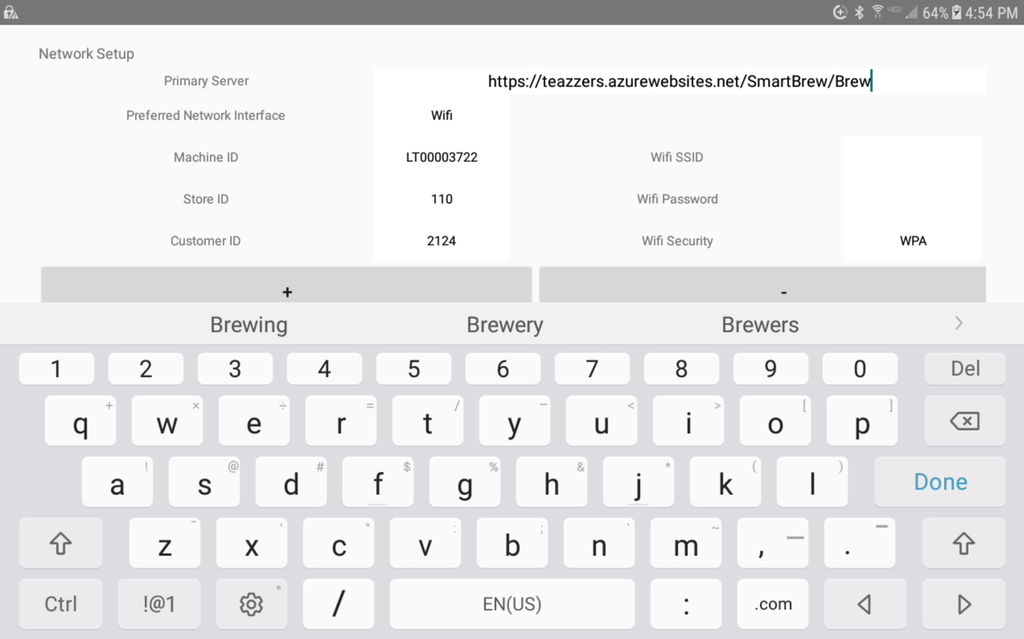
Action Needed - Field #
- Enter App Network Setup Screen (13375)
- Update Apptricity Server URL if found
- Update any other non-matching URL that may be found if not communicating.
- Exit Network Setup
- Return to Network Setup screen
- Poll Server for latest updates.
- Verify communication with TEAZZERS.
Caution #
Resolution
Did Check Primary Server URL resolve the issue?
Yes, resolution code 501.
No, go to next step.